TableFormer is a table structure recognition model used in Docling. It powers the Accurate mode in Local Image to Table, working alongside PP-OCRv6 to recover the table structure and cell text.
The TableFormer ONNX assets used here total about 213 MB, making it practical to download and run the model in the browser. The models are downloaded as needed, and the source image stays on your device.
To see how this pipeline performs, let's revisit two examples from earlier articles, then test a more complex table.
Result 1: Revisiting the Border-aware Comparison
The Border-aware pipeline article compares General and Border-aware recognition on a complex bordered table. Here, we test the same image with Accurate mode.
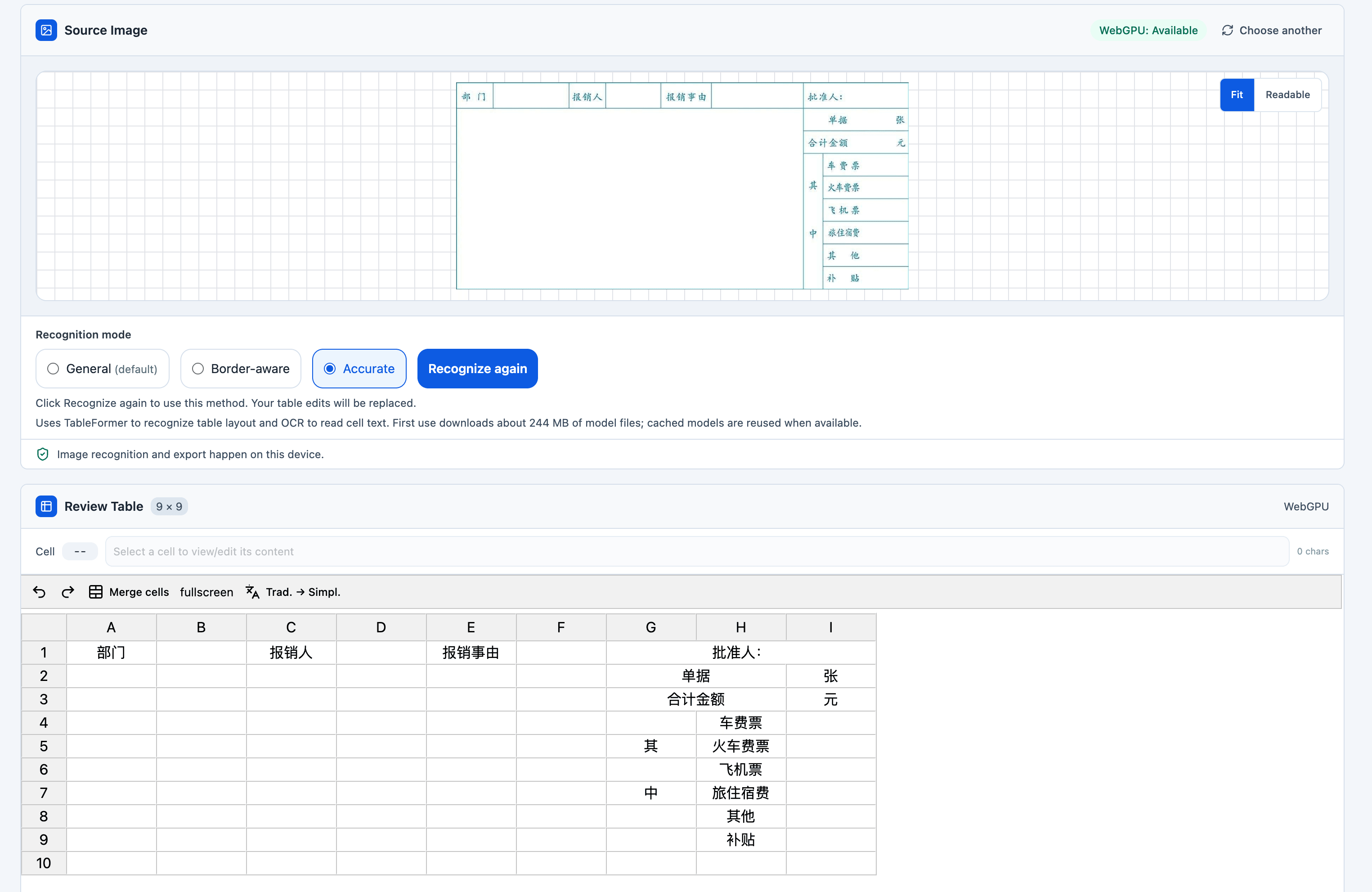
In this example, TableFormer recovers the table structure better than both the General and Border-aware pipelines.
Result 2: Revisiting a Difficult Local Recognition Example
The second image comes from the AI vs. local table recognition comparison. Earlier local recognition results were poor for this image, so it is a useful case to revisit with the new TableFormer pipeline.
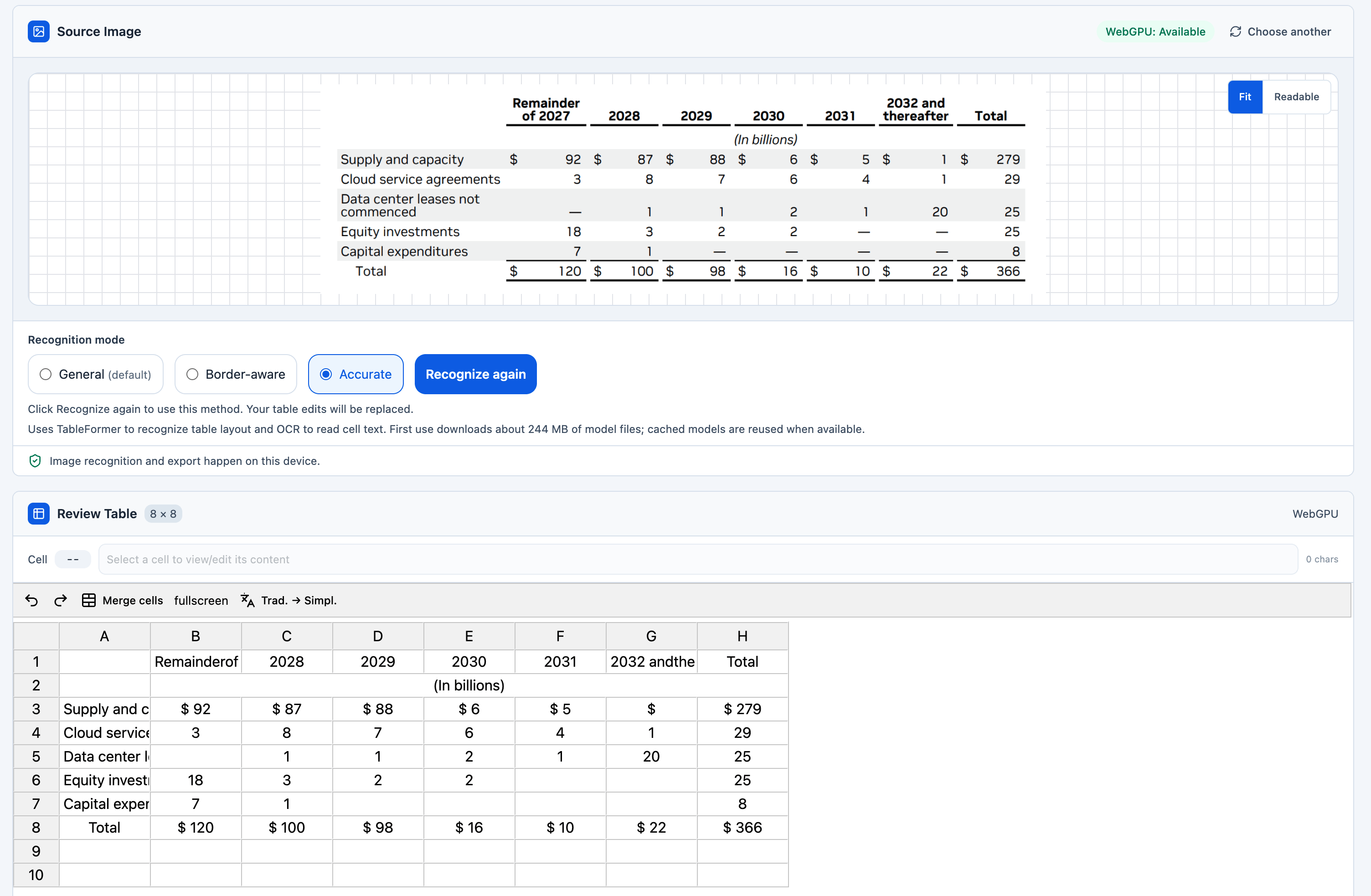
In this example, TableFormer performs as well as server-side AI Image-to-Table.
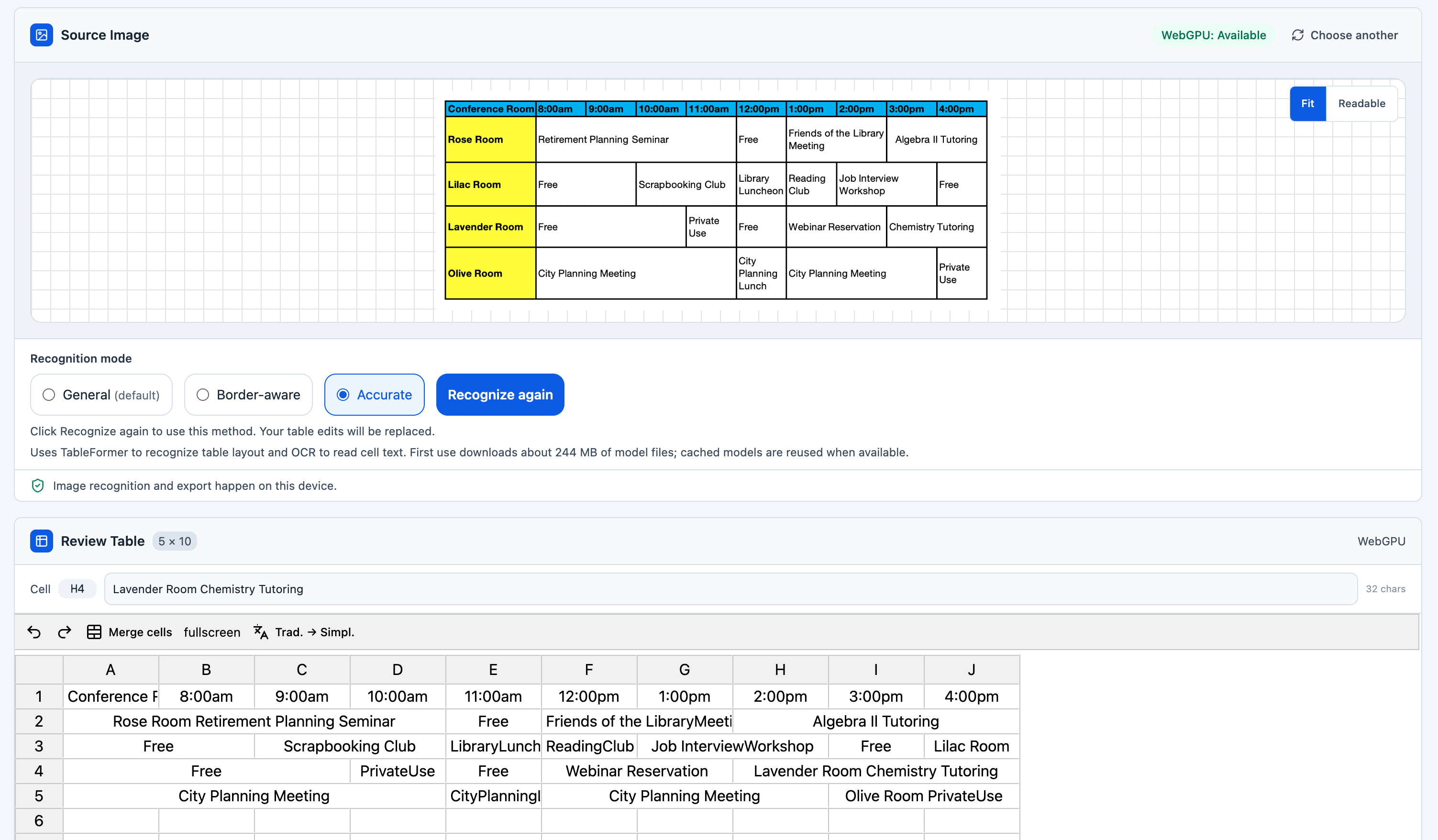
Result 3: A Complex Table That Still Requires Server-side AI
The third example shows the limits of local recognition. Local Accurate mode does not recover this table's complex structure correctly, as shown below.
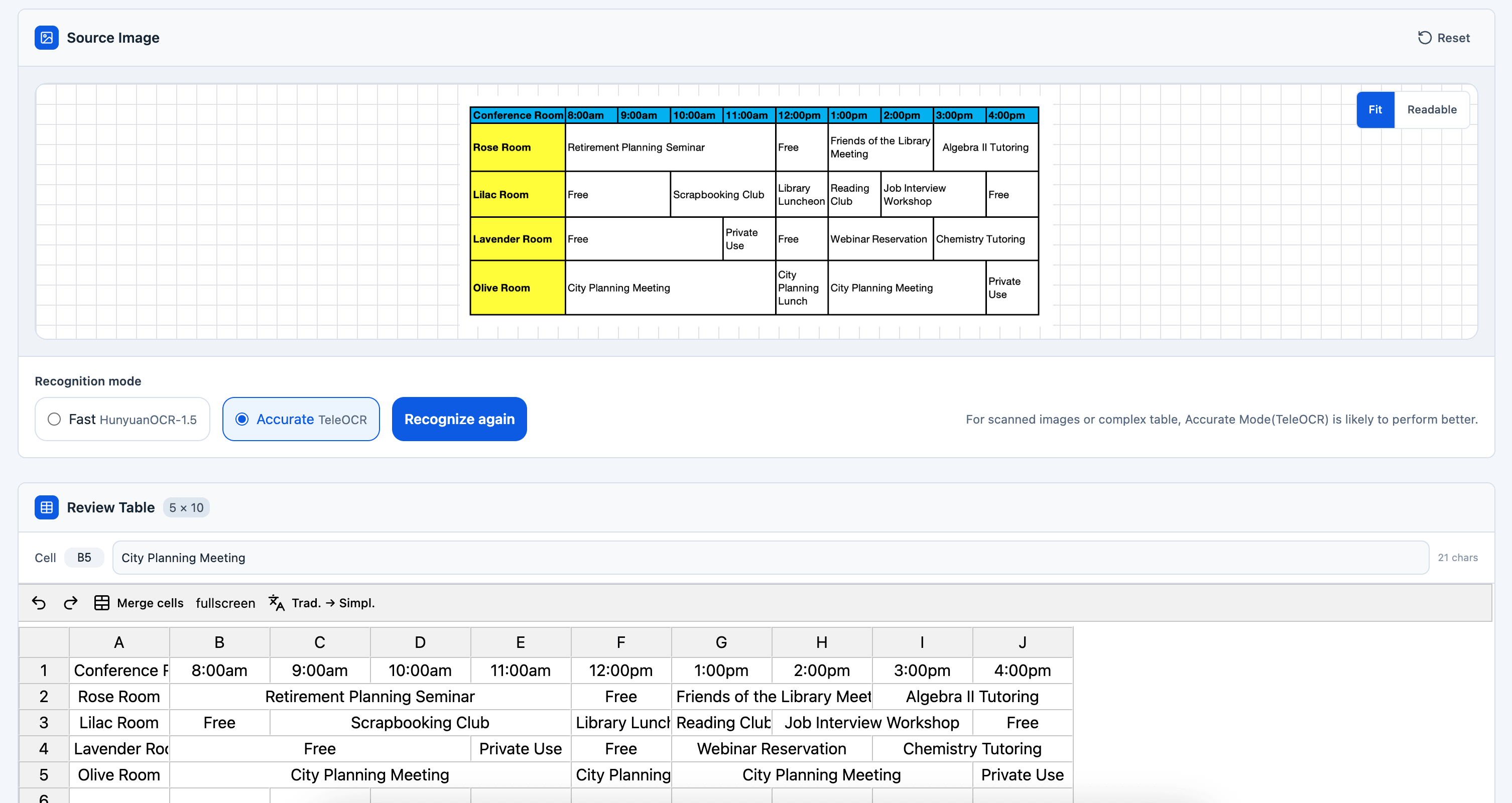
For the same image, server-side AI in Accurate mode recovers the structure correctly.
Conclusion
These examples show a substantial improvement in local table recognition with Accurate mode. If General or Border-aware struggles with your table, try Accurate mode and check the recovered structure and cell text before exporting.
In these comparisons, server-side AI image-to-table recognition still produces better overall results. Local Accurate mode narrows that gap while keeping image processing on your device.
Based on the examples tested here and in the earlier comparisons, the modes rank roughly as follows for overall recognition quality:
Server AI Accurate > Server AI Fast > Local Accurate > Local General ≈ Local Border-aware
This is a practical comparison of these examples; the best mode for a particular image depends on its layout and image quality.