Can I Use's WebGPU table reports 89.46% global usage coverage: 85.8% support plus 3.66% partial support(October 17, 2026).
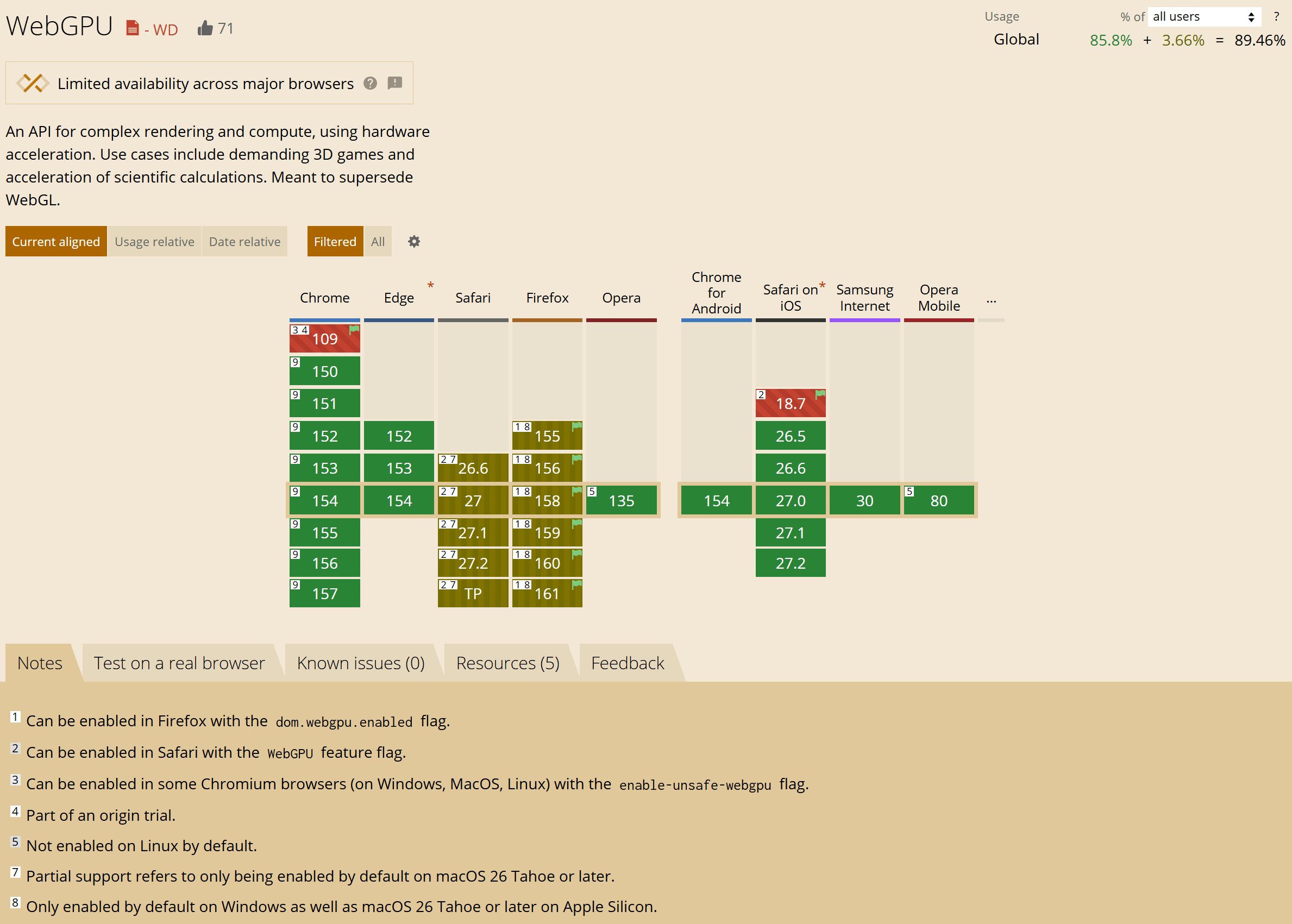
Chrome on macOS, Windows, and Android
WebGPU first shipped in Chrome 113 on macOS, compatible Windows devices, and supported ChromeOS devices. Android support followed in Chrome 121, initially on Android 12 or later with Qualcomm or ARM GPUs. See Chrome's WebGPU overview.
WebGPU is a collaborative web standard developed through the W3C GPU for the Web Community Group, with contributions from multiple browser and hardware vendors. Chrome's overview explains this collaboration.
Safari on macOS, iOS, and iPadOS
WebGPU is enabled by default with Safari 26 on macOS Tahoe 26, iOS 26, and iPadOS 26, according to the WebGPU implementation status.
Edge on Windows
Desktop Edge is built on Chromium, so its WebGPU support is broadly similar to Chrome's.
Firefox on Windows, macOS, Linux, and Android
Firefox requires particular care when reading the chart. Can I Use currently marks desktop Firefox as partially supported, with a note limiting default availability to Windows and macOS 26 Tahoe or later on Apple Silicon. The official implementation status documents a platform-specific rollout:
| Platform | Documented availability |
|---|---|
| Windows | Enabled from Firefox 141 |
| Apple Silicon Mac | Firefox 145 on macOS 26+, expanding to all supported macOS versions in Firefox 147 |
| Other Macs and Linux | Enabled in Nightly, not Stable/Beta in the checked status |
| Android | Disabled by default |
Conclusion
With broad support in Chrome and Edge, plus availability in Safari 26 and Firefox on Windows, WebGPU is now accessible to many users.
What this means for local OCR and document tools
WebGPU gives web applications access to GPU computation, which can help run image and document models locally.
On imgtotable, Local PDF to Markdown uses a relatively large document layout recognition model to identify page regions before recognizing their content. It requires WebGPU and does not offer a CPU fallback, because running the layout model on the CPU could make processing unacceptably slow.
Local Image to Table and Local Image to Text prefer WebGPU acceleration when available and fall back to the CPU otherwise. Their core recognition models are smaller, so CPU processing remains a practical option, though speed varies by device and image size.